AdGuard Ad Blocker is a system-wide ad blocking app from the company Forbes called an "ad blocking giant." Download it, install it on Windows, Mac, Android, iPhone or iPad, and it blocks ads, pop-ups and trackers in your browsers and apps right on your device, warns you about dangerous websites and helps pages load faster. Pay once and protect 3 devices forever.
YES! Show Me the Plans »Lifetime license $79.99, one payment, no subscription · Instant download · 30-day money-back guarantee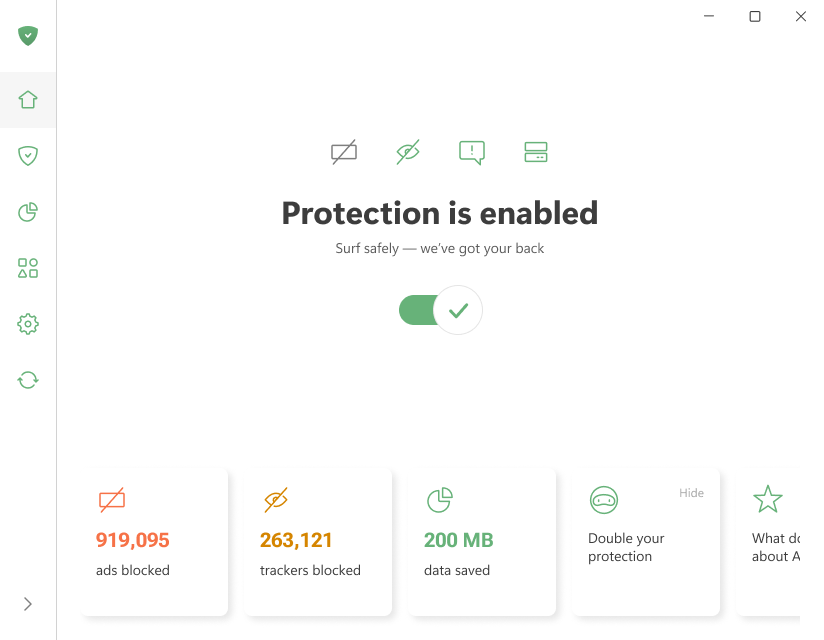
As Forbes put it, AdGuard is an “ad blocking giant.”Forbes.com, April 18, 2024*
Dear Friend,
Have you noticed the Internet getting louder?
Videos that won't start until you sit through an ad... then another one right in the middle. Pop-ups that jump in front of the article you're trying to read. A cookie banner on every single site. "You may also like" boxes that shove the real content halfway down the page.
...and the creepiest part of all: you look at a pair of shoes once, and those same shoes follow you from website to website for a week.
That's not a coincidence. It's tracking. Many websites collect data about their visitors: IP address, browser and operating system, screen resolution, even the page you came from. Cookies and trackers can recognize you when you come back, and advertisers use them to follow which other sites you visit.
All that junk costs you something, too: your time, your attention and your mobile data. Every ad has to be downloaded before you can skip it.
Here's the good news: you can switch most of it off in about 10 minutes on your computer, phone and tablet, by following a few simple steps.
Now, I'm not going to pretend ads will disappear from the Internet. They pay for a lot of it. But you should get to decide what loads on your screen and who gets to watch what you do.
That's exactly what this is for.

AdGuard Ad Blocker is an app that cleans up the Web on your computer, phone and tablet. It removes banners, pop-ups and video ads, stops hidden trackers, hides cookie notices and other annoyances, and warns you before you open a known phishing or malware website.
It comes from AdGuard, one of the leaders in ad-blocking software, blocking ads and protecting people online since 2009. More than 160 million people use AdGuard products, Forbes called AdGuard an "ad blocking giant," and users rate AdGuard apps 4.7 out of 5 (average app rating shown on adguard.com, from more than 20,000 reviews).
Most ad blockers are browser extensions. They live inside one browser, and they can only do what that browser allows. Browsers set the rules for extensions, and some of those rules restrict ad blocking, so some kinds of filtering simply aren't possible in an extension.
AdGuard is different. It's a standalone app that filters traffic for your whole device, so on your computer it blocks ads in every browser and in almost all apps, not just one. And because it blocks ads before they reach your browser, pages have less to download: that saves traffic and speeds pages up.
Here's a small sample of what AdGuard Ad Blocker does for you:
Here's what that means for you.
You get back the Internet the way it's supposed to be: articles you can read from top to bottom, videos that start when you press play, and far fewer strangers keeping notes on what you read and buy.
Native apps for Windows, Mac, Android, iPhone and iPad. Your license works on any mix of them.
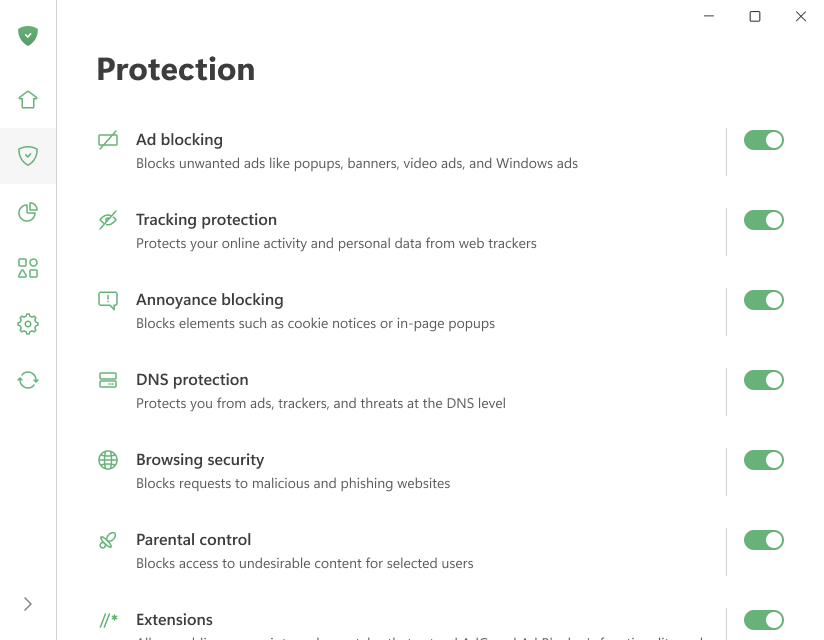
Every browser and almost every app on Windows and Mac, cleaned up at once.
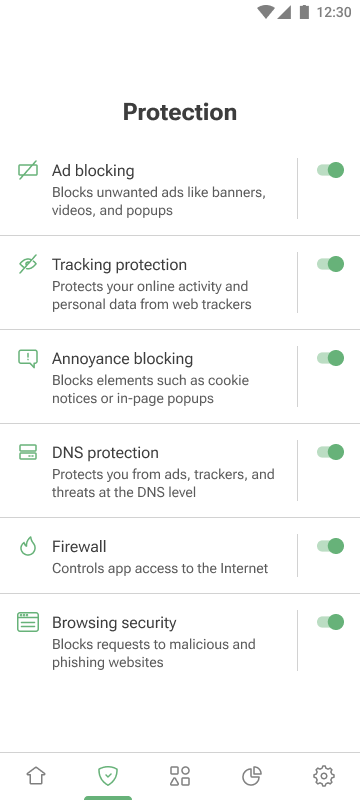
Ads blocked in browsers and apps, plus a firewall for your apps.
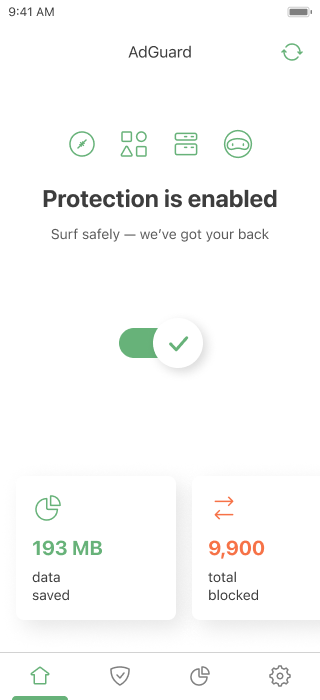
Safari protection plus DNS protection for your other apps.
If you can install an app, you can use AdGuard.
Pick a plan below and check out securely in the official AdGuard store at adguard.com.
Right after checkout, AdGuard emails you your license key with step-by-step activation instructions.
Download AdGuard for your device and enter your license key in the app (or bind the key to your free AdGuard account and log in). That's it: you're protected.
On your computer, AdGuard filters every browser and almost all apps, and it isn't limited by browser rules for extensions.
Ads are stopped before they reach your browser, so pages load faster and use less data.
AdGuard maintains its own filters and releases regular updates, including fixes when YouTube changes its anti-ad-blocker detection.
Tracking protection, annoyance blocking, browsing security, DNS protection and parental control in one app.
Lifetime licenses have no expiry date and no subscription. No renewals, nothing to cancel.
Ad blocking isn't a side project for us. It's what AdGuard has done since 2009.

Get the most out of AdGuard in about 10 minutes. Your guide shows you, step by step, how to:
AdGuard app rating: 4.7 / 5 (average app rating shown on adguard.com, from more than 20,000 reviews)
"Best product I've ever bought! You all do an admiral job of keeping ads under control. I believe I've already watched a lifetime's worth of ads and I have a number of years left on this earth that I want to enjoy without being bombarded with that noise! Thank you for all you do. You are appreciated. :-)"
"AdGuard works on my phone, my MacBook and my Windows Desktop and - it just works. I never see a YouTube Ad and I just bought the AdGuard lifetime license. It's a bargain."
"I like this app because it offers many features beyond ad blocking, and I have the lifetime premium family membership, so it's a really good deal."
"This is hands down the best solution on the market. I’ve been using it for years now, and it keeps the screen clean, pages load much faster, and it’s super configurable for us power users. I buy lifetime licences for family members to help keep them safe and secure. A must have with today’s online world."
"Bought many years ago lifetime sub / Also gifted to all friends and family / ABSOLUTELY love the app - best in the world / AND again - lifetime sub is available which is ultra rare nowadays"
"It's been many years, now, and a few hiccups aside, nothing beats AdGuard. My long-ago lifetime purchase has been worth it. Thank you. I mean, really: THANK YOU. There is something sinister about being bombarded with ads. Even one ad, without permission, is sickening to the human soul."
"Great product works every time I recommend the lifetime subscription I have 2 one for windows + the Opera browser and my iPads and iPhones have this as well and works seamlessly with Safari and it’s not expensive at all 👍🏻🤩"
"I'm so glad I bought a lifetime license for this - it's so nice not being constrained by certain browser extension API changes anymore. The fact that it filters most traffic systemwide is a very, very sexy bonus as well. I hope you guys never go under, because your services so far have been stellar."
Real 5-star reviews from AdGuard users, quoted word for word from adguard.com, Reviews.io and the App Store. What AdGuard blocks depends on your device, settings and the websites and apps you use.
Yes, and I'd rather you hear it from me: AdGuard makes one, too. The free AdGuard Browser Extension is a fine way to clean up a single browser. But it lives inside that one browser and plays by that browser's rules. Here's what you get with the full AdGuard Ad Blocker app:
| Feature | Free browser extension | AdGuard Ad Blocker app |
|---|---|---|
| Where it blocks ads | One browser | Every browser + almost all apps on your computer |
| Limited by browser rules for extensions (on your computer) | Yes | No |
| Stops ads before they reach the browser | Not all of them | ✓ Saves data, loads faster |
| Phishing & malware check | Domain name only | ✓ Full page addresses and everything loaded on the page |
| Sees tracking by other extensions and apps | — | ✓ |
| Ads in Android apps, Android firewall | — | ✓ |
| Ad-free YouTube player on your phone | — | ✓ |
| Parental control, Windows privacy switches | — | ✓ |
Personal Lifetime: $79.99 once for 3 devices, forever. No subscription, no renewals, and you never pay again.
"Simply, the most powerful and full featured ad blocker and DNS sinkhole for safari and apple devices. Bought a lifetime family license and loved it so much that I ended up buying another to put on all my family members devices. Yes, there is a minimal performance impact from the device wide filtering, this is simply unavoidable, but in return you get the one of the most comprehensive, powerful and customizable blockers on the market for apple products. Grab a lifetime license, set and forget."— AlBilly12, App Store review (Canada), March 2025
Every plan is a one-time payment and includes all premium features on Windows, Mac, Android, iPhone and iPad and a 30-day money-back guarantee.
Personal Lifetime
Family Lifetime
Instant digital delivery: right after checkout, AdGuard emails you your license key and activation instructions. Nothing is shipped. Format and requirements: a text license key for the AdGuard apps. You need the free AdGuard app for your device, from adguard.com (Windows 10 or later, macOS 12 or later, Android 9 or later) or the App Store (iOS and iPadOS 13 or later), and an Internet connection.
Secure checkout in the official AdGuard store · Payments processed by Paddle and PayPro Global · Prices in USD; applicable taxes may be added at checkout.
Here's my promise, plain and simple. Use AdGuard on your devices for a full 30 days. Watch YouTube, read the news, shop, scroll. Turn on every filter and push it hard.
If you're not satisfied for any reason, email [email protected] within 30 days of purchase and we'll give you a full refund. No hoops and no hard feelings.
That means all the risk is on us, not you.
An app for Windows, Mac, Android, iPhone and iPad that blocks ads, pop-ups and trackers, hides annoyances like cookie banners, warns you about dangerous websites and offers parental control. Unlike a browser extension, it protects your whole device.
No. Every plan on this page is a one-time payment for a lifetime license with no expiry date. Nothing renews, so there is nothing to cancel.
Personal covers up to 3 devices at the same time, Family up to 9. Both work on any mix of Windows, Mac, Android, iPhone and iPad. Need more devices later? You can upgrade a Personal license to Family in your AdGuard account.
Windows 10 or later, macOS 12 or later, Android 9 or later, and iOS and iPadOS 13 or later. The apps are free to download from adguard.com and the App Store; your license key unlocks all premium features.
In browsers, yes: AdGuard blocks YouTube video ads before, during and after the video, as well as banner ads and overlay pop-ups: in all major browsers on your computer, in most browsers on your Android phone, and in Safari on iPhone and iPad. AdGuard can't completely remove ads from the official YouTube app on phones, but you can share any video from the YouTube app to AdGuard and watch it in AdGuard's ad-free player. YouTube sometimes changes its anti-ad-blocker detection, and AdGuard releases regular updates to keep up.
On Windows, Mac and Android, AdGuard filters the traffic of your apps as well as your browsers. On iPhone and iPad, AdGuard blocks ads in Safari, and its DNS protection blocks many ads and trackers in other apps. DNS-level blocking is less thorough than full filtering, and some apps can't be filtered completely.
Google doesn't allow apps that block ads in other apps on Google Play. That's why the full AdGuard for Android app is downloaded from adguard.com. Our free Quick-Start Guide walks you through it.
Yes. Using an ad blocker is legal: you have the right to control the content that appears in your browser. If a site you like asks you to turn off your ad blocker, you can allow ads on that site with one click.
AdGuard has been developing privacy-oriented products since 2009. AdGuard does not share your personal information with anyone and only collects strictly necessary data. See the AdGuard Privacy Policy for details.
You get something better than a short trial: use the full version for 30 days, and if it's not for you, ask for a full refund.
Right after checkout, AdGuard emails you your license key. Install AdGuard on your device and enter the key: on Windows, open the License screen, click the menu (⋮) > Already purchased? > Enter activation code; on Mac, click the gear icon in the AdGuard menu > License > Activate and enter the key; on Android, Settings > License > Activate license; on iPhone and iPad, Settings > License > Log in and type the key into the email field. We recommend binding the key to your free AdGuard account too.
Yes. Log out of AdGuard on the old device (or remove that device in your AdGuard account), then activate AdGuard on the new one.
Every plan has a 30-day money-back guarantee. To request a refund, email [email protected] within 30 days of purchase. See our Refund Policy.
AdGuard Ad Blocker is developed by AdGuard Software Limited (Limassol, Cyprus), the company behind AdGuard VPN and AdGuard DNS.
Email [email protected].
Choice #1: Close this page and keep sitting through the ads, pop-ups and cookie banners, with trackers taking notes on what you read and buy.
Choice #2: Pay $79.99 once for a Personal Lifetime license, clean up the Web on 3 of your devices for good, and try it all for a full 30 days with a complete money-back guarantee.
I think the smart choice is obvious.
Yes! I Want AdGuard Ad Blocker »One payment · 30-day money-back guarantee
To a cleaner, quieter Internet,
The AdGuard Team
P.S. The Lifetime license is a one-time payment: no subscription, nothing to renew, nothing to cancel. As one AdGuard user put it: "lifetime sub is available which is ultra rare nowadays."
P.P.S. You're covered by our 30-day money-back guarantee. Try everything, and if it's not for you, ask for a refund within 30 days. The risk is entirely on us.
P.P.P.S. Protecting a family? The Family Lifetime license covers 9 devices for $169.99, $69.98 less than three Personal Lifetime licenses.